Section 2: WordPress and WPGraphQL
Using WordPress as a headless CMS requires a working WordPress site and a GraphQL endpoint.
The content will be stored on WordPress
The GraphQL endpoint will expose the content so the frontend can request it
1. Setting up a new WordPress site
This tutorial uses WordPress Studio by Automattic, a tool that allows you run WordPress sites locally on your computer.
Download WordPress Studio from this webpage, install it on your computer and open it
Select Create a new site, enter a site name and click Add Site
To access the admin of your new site, click WP admin under your site name
In your WP admin, go to Settings > Permalinks
Change "Plain" to "Post name" and click Save
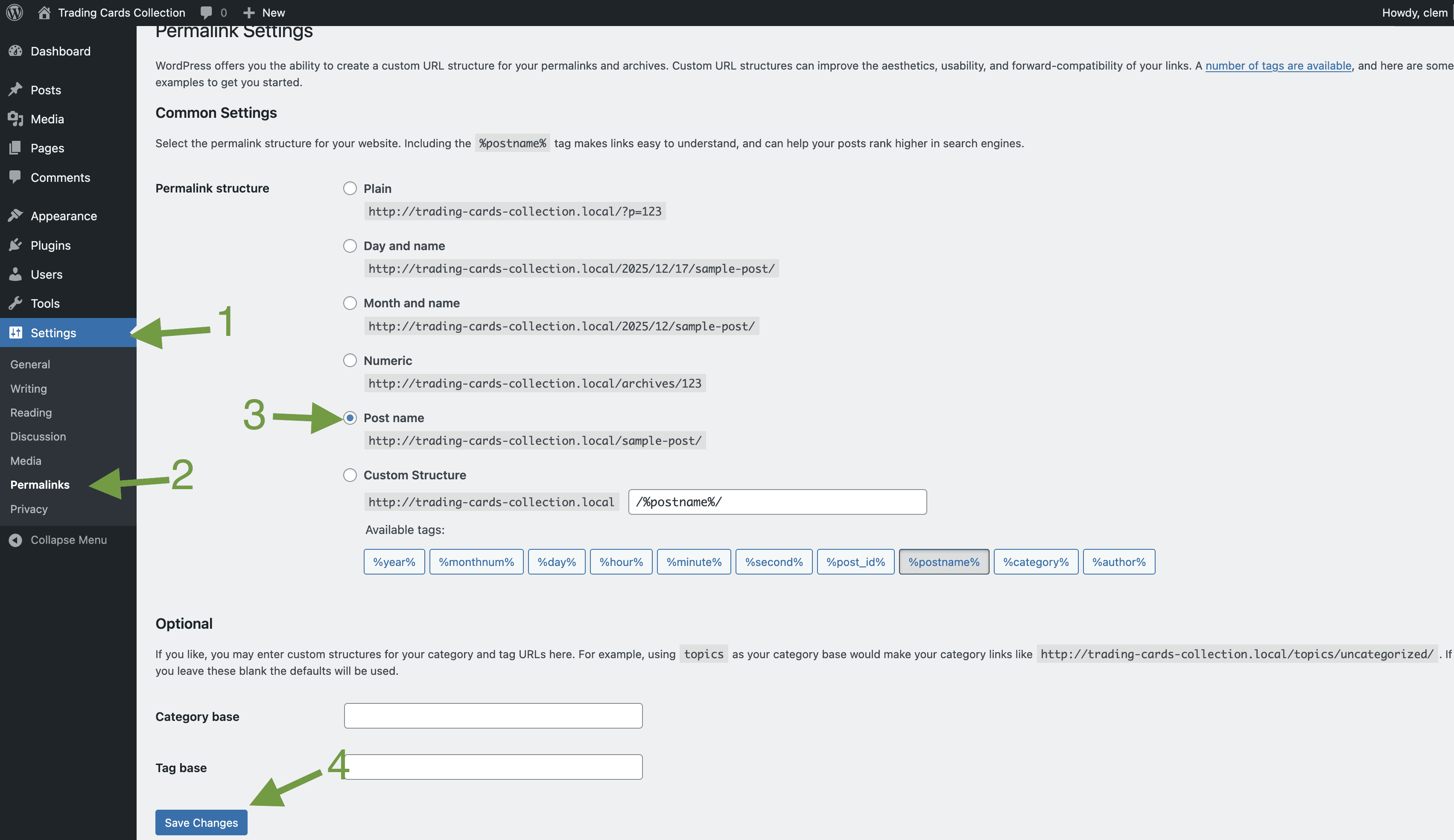
The /graphql endpoint requires a permalink structure to properly route requests. It won’t work with ‘Plain’ permalinks.
2. Add content to WordPress
Let's add some posts to the new WordPress site.
The content in these posts will be displayed on the front end application later
In the interest of time, i've put together some content of my trading card collection for you to use.
Follow the steps below to import it to your WordPress Site:
Download the XML file from this link
In the left sidebar of your WP admin, click on Tools > Import
Click Install now under the WordPress option and click Run Importer when the installation is done
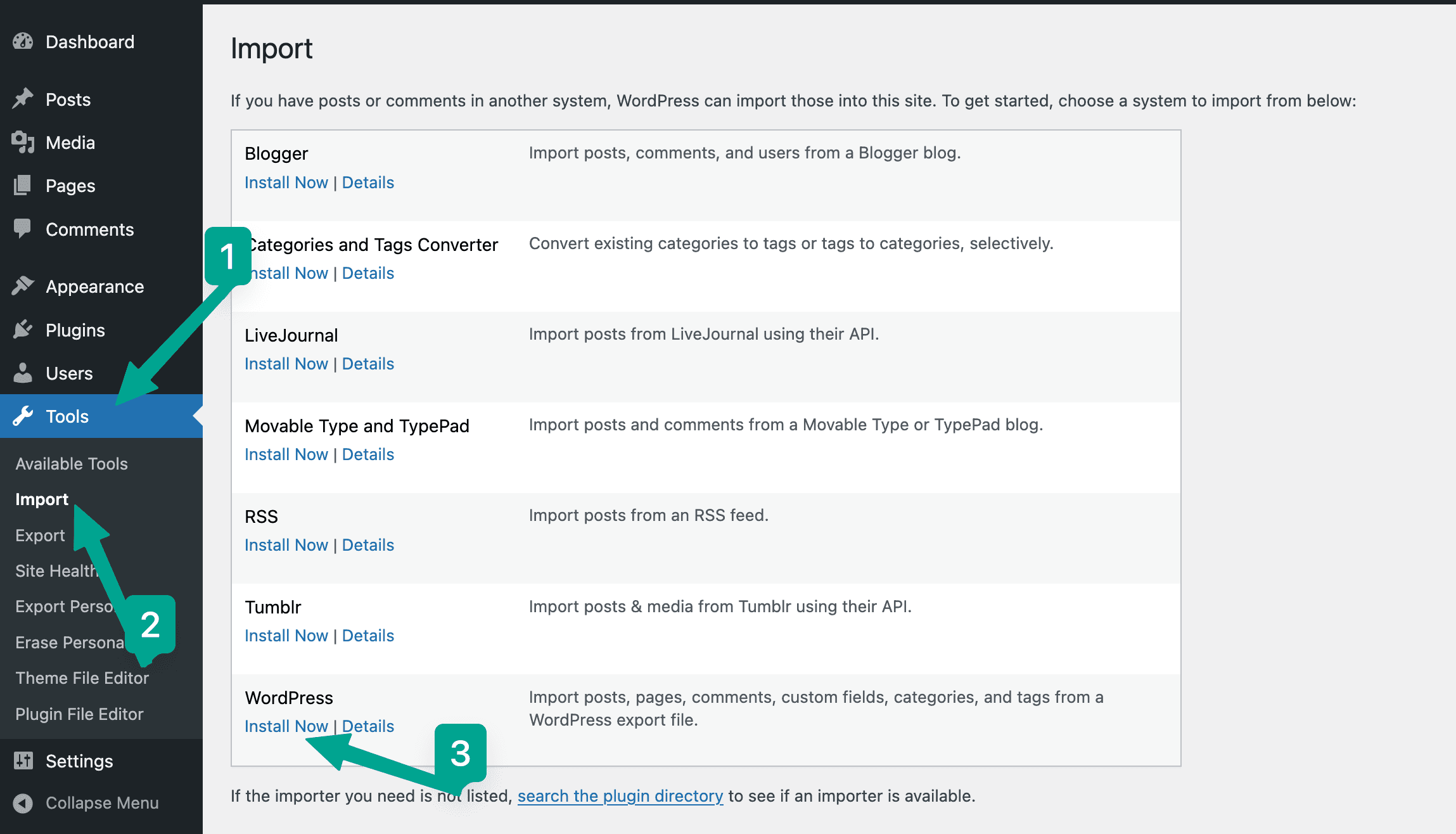
On the Importer page, upload the .XML file you downloaded in step 1 and click Upload file and Import
On the Import WordPress page, select these options and click Submit:
Assign posts to an existing user: admin
Download and import file attachments (check this box)
Change all imported URLs that currently link to the previous site so that they now link to this site (check this box)
The import should complete without errors. Head over to the WordPress Studio and click on Open Site to check out the posts that were imported.
You can view your posts in the WP admin:
In the left sidebar of your WP admin, click on Posts
Delete(Trash) the Hello World post, we won't use it in the tutorial
3. Installing WPGraphQL
WPGraphQL is a plugin that creates a GraphQL API endpoint for a WordPress site
This endpoint will expose the WordPress data in a structured format that for other systems to access.
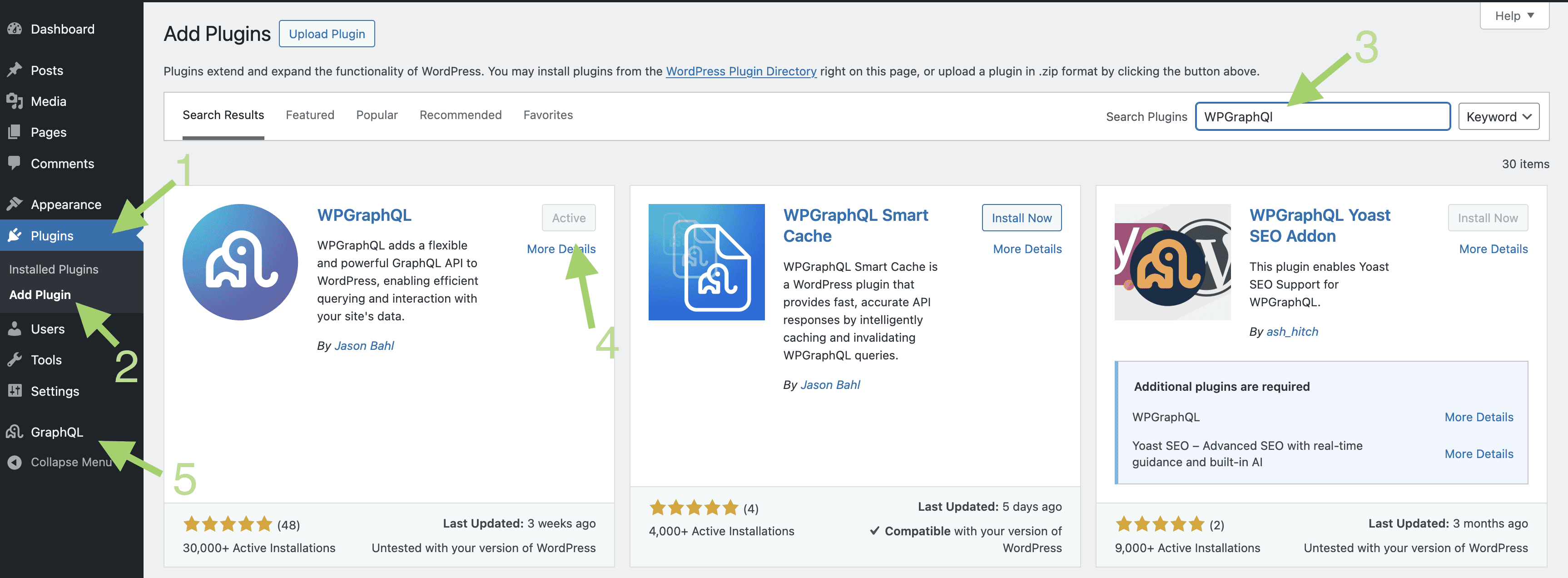
In your WordPress dashboard, navigate to Plugins > Add New
Search for "WPGraphQL"
Click Install Now on the first result (by Jason Bahl)
Click Activate
You'll see a new GraphQL menu item appear in your left sidebar.
4. Your First GraphQL Endpoint
WPGraphQL automatically creates your GraphQL API endpoint.
You can find it in the GraphQL plugin > Settings
The table below contains the available fields in the API:
Field | Description |
ID | Unique post identifier |
Title | Post title |
Slug | URL-friendly post identifier |
Content | Full post body |
Excerpt | Post summary |
Featured Image | Post thumbnail |
Author | Post creator |
Date | Publication date |
Categories | Post categories |
Tags | Post tags |
Each field represents a the data that can be requested from WordPress.